
Are you travelling on a WestJet departure or return flight between July 30 and August 6, 2026? Please review the important information regarding your reservation here (French only).

These days, most mobile phones come equipped with high-quality cameras that produce more than acceptable results! Sometimes, however, capturing the perfect shot can be tricky. In this article, we offer some simple tips and tricks to maximize your chances of getting great photos every time and preserving lifelong memories from your next getaway!

The first step, often forgotten (or neglected), is cleaning your lens, which is essential for getting quality photos that are free of debris or anything that would make your photos blurry.
If you're not steady, your photos may be blurry or of poor quality. Try holding your phone with both hands or resting it on a flat surface.
The focus is automatically set to the center of the screen, but it can be helpful to touch the screen where you want to change it. This way, you can choose where you want the focus to be.
Don't hesitate to move around your subject to create different angles! Plus, you can easily click the button repeatedly to take burst photos. Sometimes, the best shots are the most unexpected ones!
As a reflex, if your subject is far away, you'll tend to want to zoom in. However, be aware that most mobile phones have a digital zoom. In other words, a digital zoom only crops the image and enlarges it to 100%. Therefore, you're only losing quality by taking photos using the zoom!
While your first instinct might be to use the flash to compensate for the lack of light, it's far better to use natural light for high-quality photos. In fact, some mobile phones offer a night mode, specifically designed for darker environments.
The rule of thirds, a technique widely used and known by both professional and amateur photographers, helps create a more visually appealing image. Not sure how it works? Keep reading.
Most mobile phone cameras have a grid display option in the settings. Once the grid is enabled, it will be easier to properly position your subject to adhere to the rule of thirds.
If you want to photograph a landscape, you have several options for using the rule of thirds, depending on the desired result. If you want to emphasize the upper part of the landscape (for example, the sky), placing the horizon in the lower third of the grid will make it the dominant element of the photo. Conversely, placing the sky in the middle third will emphasize the ground.
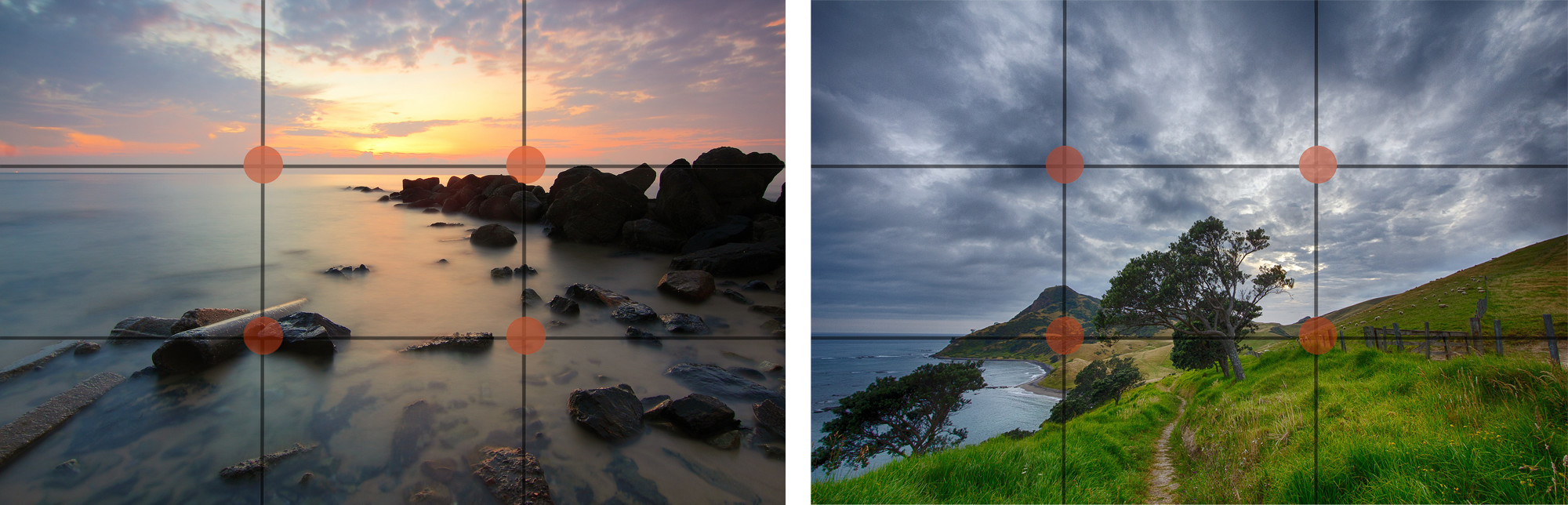
To use the ruler in portrait mode, the easiest way is to place the person's eyes opposite the first line of the grid and position the outer corner of the subject's eye on the second point of the upper horizontal line.
After following all the steps for an ideal result, you can edit your photos using a photo editing app. Several are available for free through the App Store or Google Play Store.
_______________________
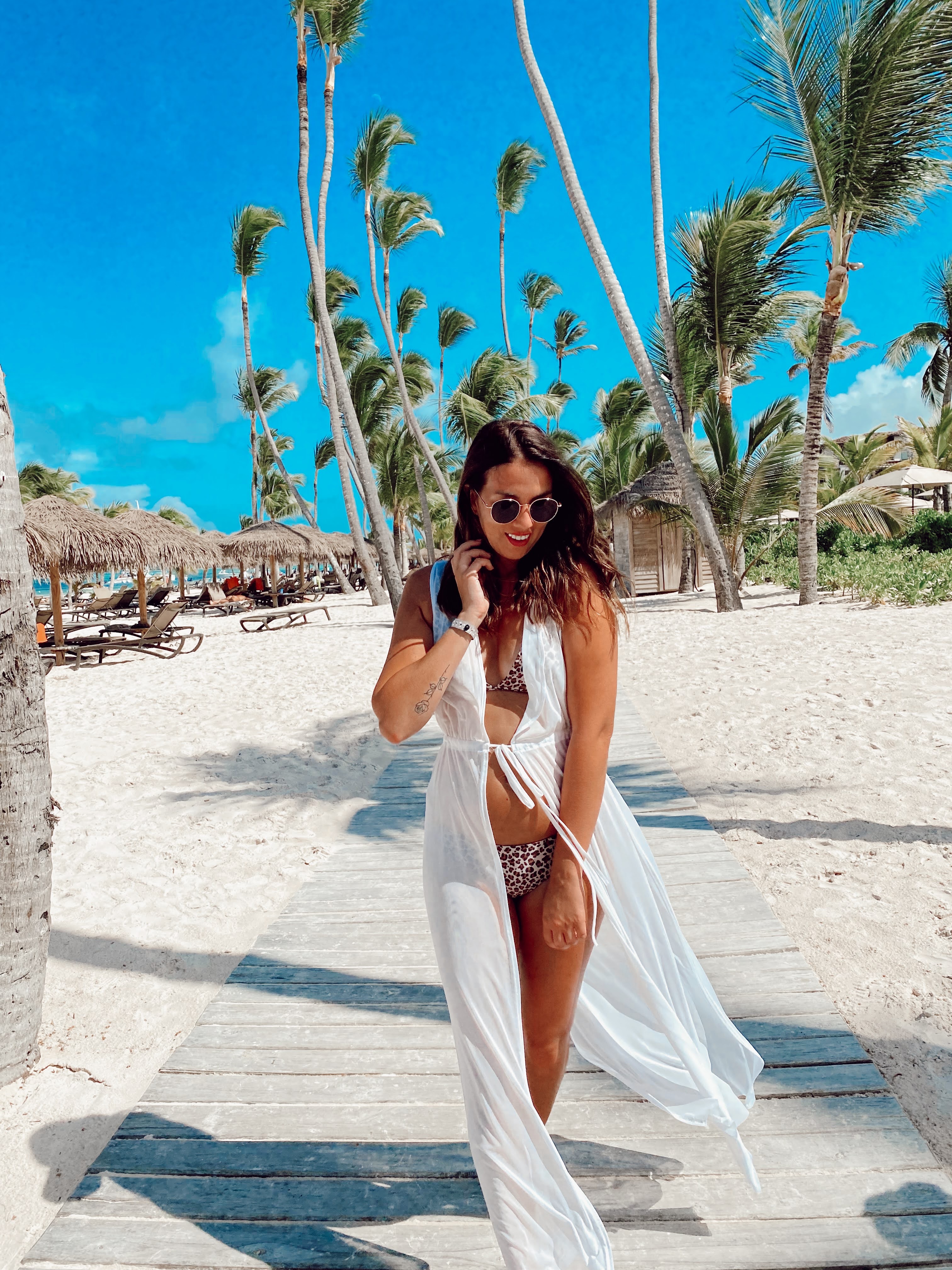
Our team had fun taking several photos during our colleague Alexandra's getaway last fall, as part of the Alexandra project in Punta Cana . Here are a few photos taken with just an iPhone and a little editing.

 .
. 
Are you planning a family vacation soon? Do you know which hotel to choose in order…
You've already visited most Cuban regions and don't know where to go on your next…
Mexico is a very popular destination, in part because of its dream beaches. Here…

